
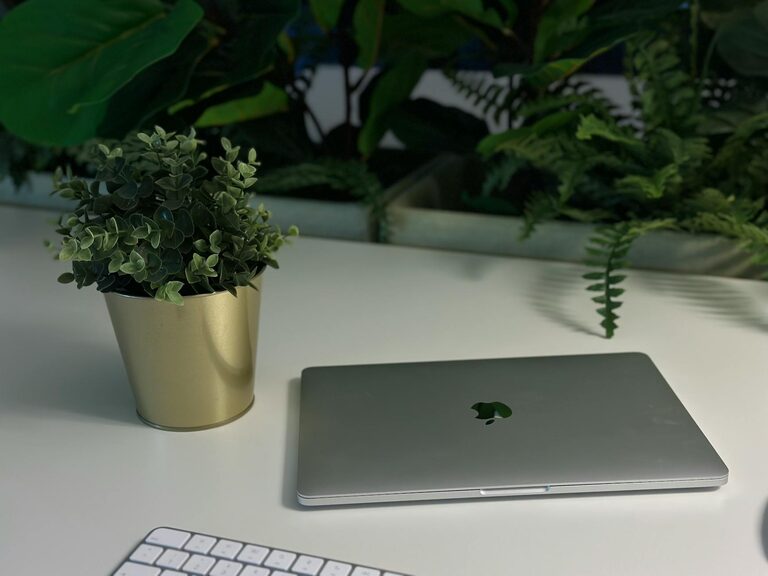
Creating a productive home office environment is essential for anyone working remotely or managing tasks from home. A well-organized, comfortable, and distraction-free workspace helps improve focus, reduce stress, and enhance overall efficiency. Whether you are new to working from home or looking to improve your current setup, these tips will guide you to create a home office that supports your best work.
Choose the Right Location
Find a Quiet Spot
Select a space in your home where noise and interruptions are minimal. This could be a spare bedroom, a corner of your living room, or even a converted closet. The key is to find a place that allows you to concentrate without frequent disturbances.
Consider Natural Light
Position your desk near a window if possible. Natural light boosts mood and energy levels, helping you stay alert and motivated. Avoid placing your screen directly opposite a window to reduce glare, but benefit from daylight around you.
Invest in Comfortable Furniture
Ergonomic Chair
An ergonomic chair supports your posture and reduces back strain. Look for adjustable height, lumbar support, and comfy padding to keep you comfortable during long hours.
Functional Desk
Choose a desk large enough to hold your computer, notebooks, and any essential tools. Adjustable desks or standing desks are great options to encourage movement and prevent stiffness.
Organize Your Workspace
Declutter Regularly
Keep only the essentials on your desk. Clutter can distract the mind, so file away papers and organize supplies in drawers or containers.
Use Storage Solutions
Shelves, organizers, and filing cabinets help keep your office tidy. Label containers for quick access to items like pens, chargers, and documents.
Minimize Distractions
Set Boundaries
Establish clear work hours and communicate them to household members to reduce interruptions. Consider using noise-canceling headphones if background noise remains an issue.
Control Technology Disruptions
Turn off non-essential notifications on your devices during work time. Use apps or browser extensions to block distracting websites when needed.
Personalize Without Overcrowding
Add Some Greenery
Plants improve air quality and add a calming touch to your office. Choose low-maintenance types like succulents or spider plants.
Incorporate Inspiring Decor
Personal photos, motivational quotes, or artwork can make your space inviting and encourage creativity. Keep decorations simple to avoid overwhelming your workspace.
Optimize Lighting and Screen Setup
Use Task Lighting
Desk lamps with adjustable brightness and direction help reduce eye strain when working in the evening or dimly lit rooms.
Position Your Screen Properly
Keep your monitor at eye level and about an arm’s length away. This setup helps maintain good posture and lessens neck or eye discomfort.
Build a Routine and Stay Active
Establish a Morning Ritual
Starting your day with a consistent routine signals your brain to switch into work mode. This could include making coffee, reading emails, or planning your tasks.
Take Breaks
Schedule short breaks to stand, stretch, and move around. These pauses improve circulation and mental focus.
Use Technology to Your Advantage
Reliable Internet Connection
Ensure your internet speed is fast and stable enough for video calls and online collaboration.
Productivity Tools
Use apps for task management, note-taking, and communication to streamline your work and stay organized.
—
Creating a productive home office environment takes some planning and experimentation, but the benefits are well worth the effort. With the right location, furniture, organization, and habits, your home office can become a space that supports concentration, creativity, and overall well-being. Remember to adjust your setup as you learn what works best for you, and enjoy the comfort and flexibility of working from home.